
From the first message to a confirmed order
Quoteline is a sales desk that answers on the channels your buyers use, prices every quote from your own list and runs each deal in a built-in CRM. Your team handles what a person should.
Never lose another enquiry in a WhatsApp scroll.
Every message from WhatsApp, Telegram and email lands in one inbox and gets an answer straight away, even while you are baking, driving or asleep.
- All three channels side by side, each with its lead, quotes and orders.
- The lead card fills itself as the buyer types: date, guests, address.
- Take over with one press when it needs you, and hand it back when you are done.

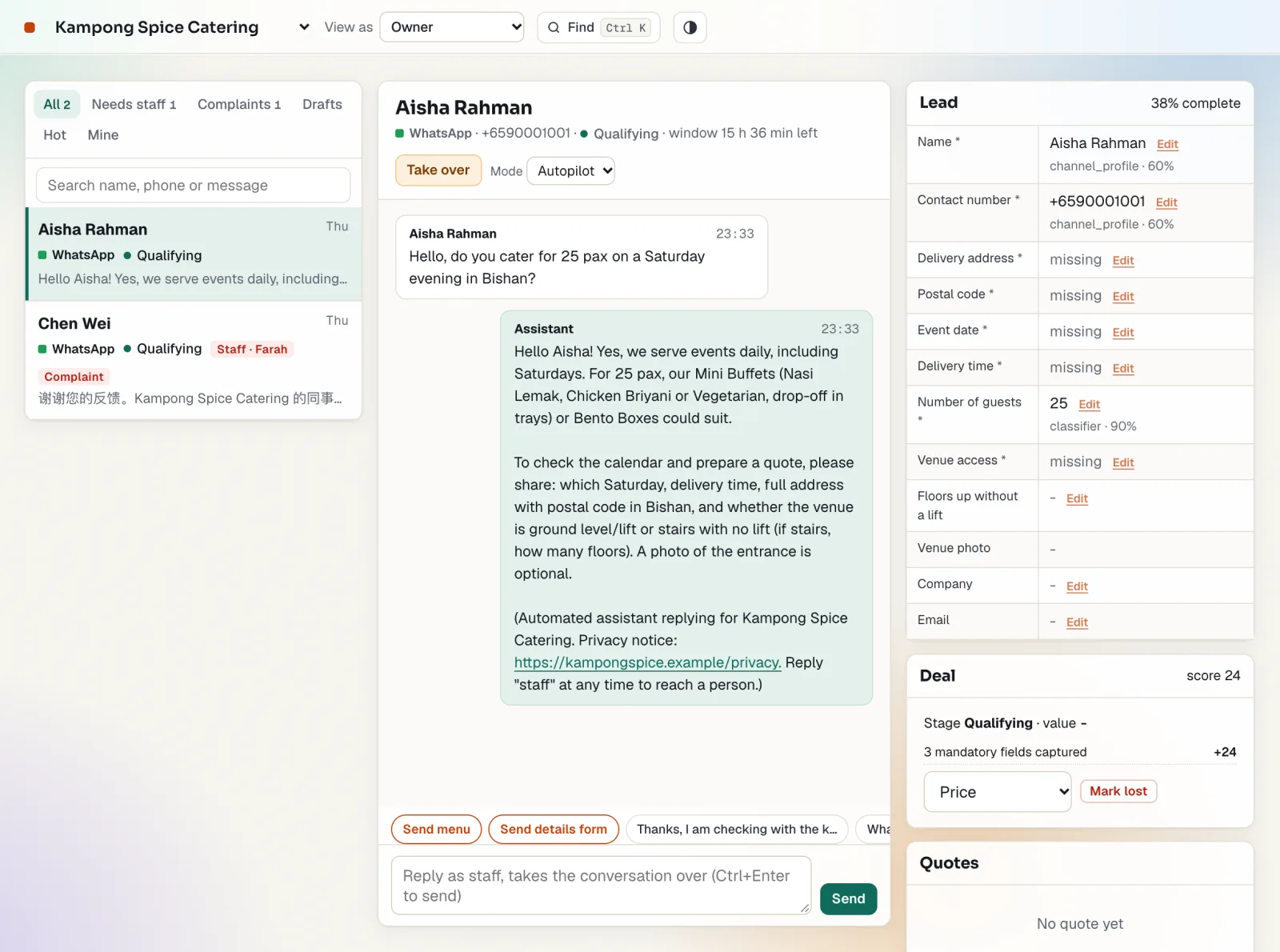
Send the quote while they are still keen.
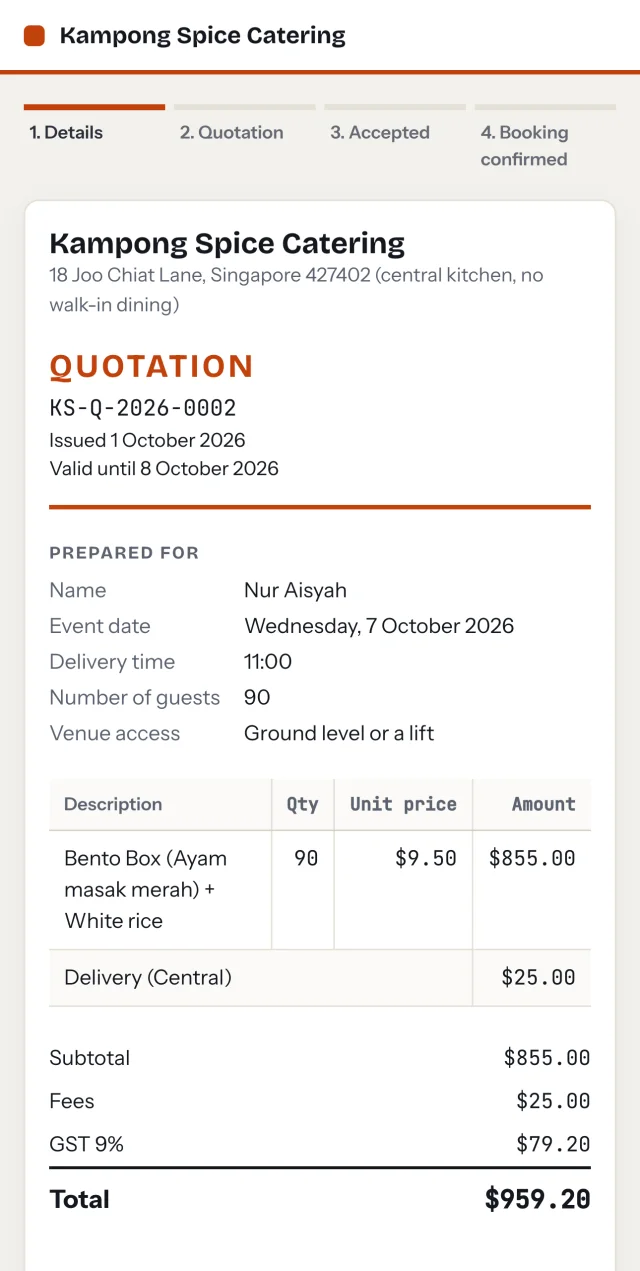
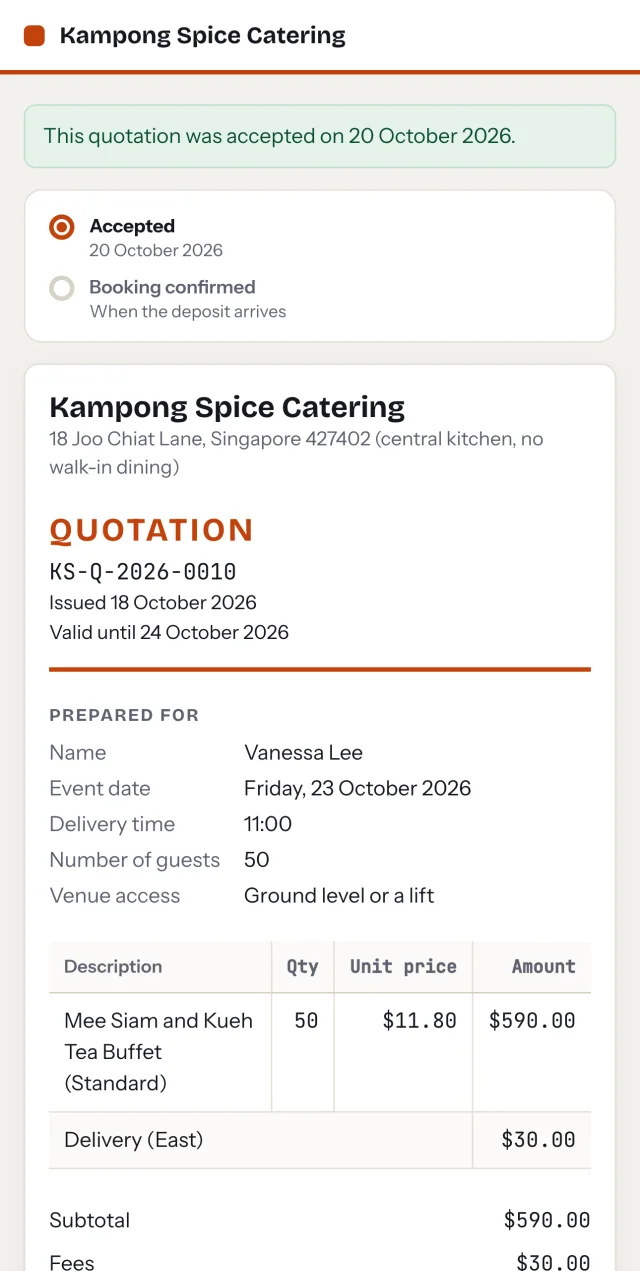
A buyer asks for a price and gets an itemised quotation in minutes, worked out from your own price list. The AI talks; the pricing engine does the sums, to the cent.
- Variants, add-ons, quantity breaks, delivery zones, live discounts and GST, all applied for you.
- Every figure the buyer sees comes from the engine. The guard blocks any other number.
- Each quote records the list version it used, so it can be priced again and match exactly.

A CRM you never have to update.
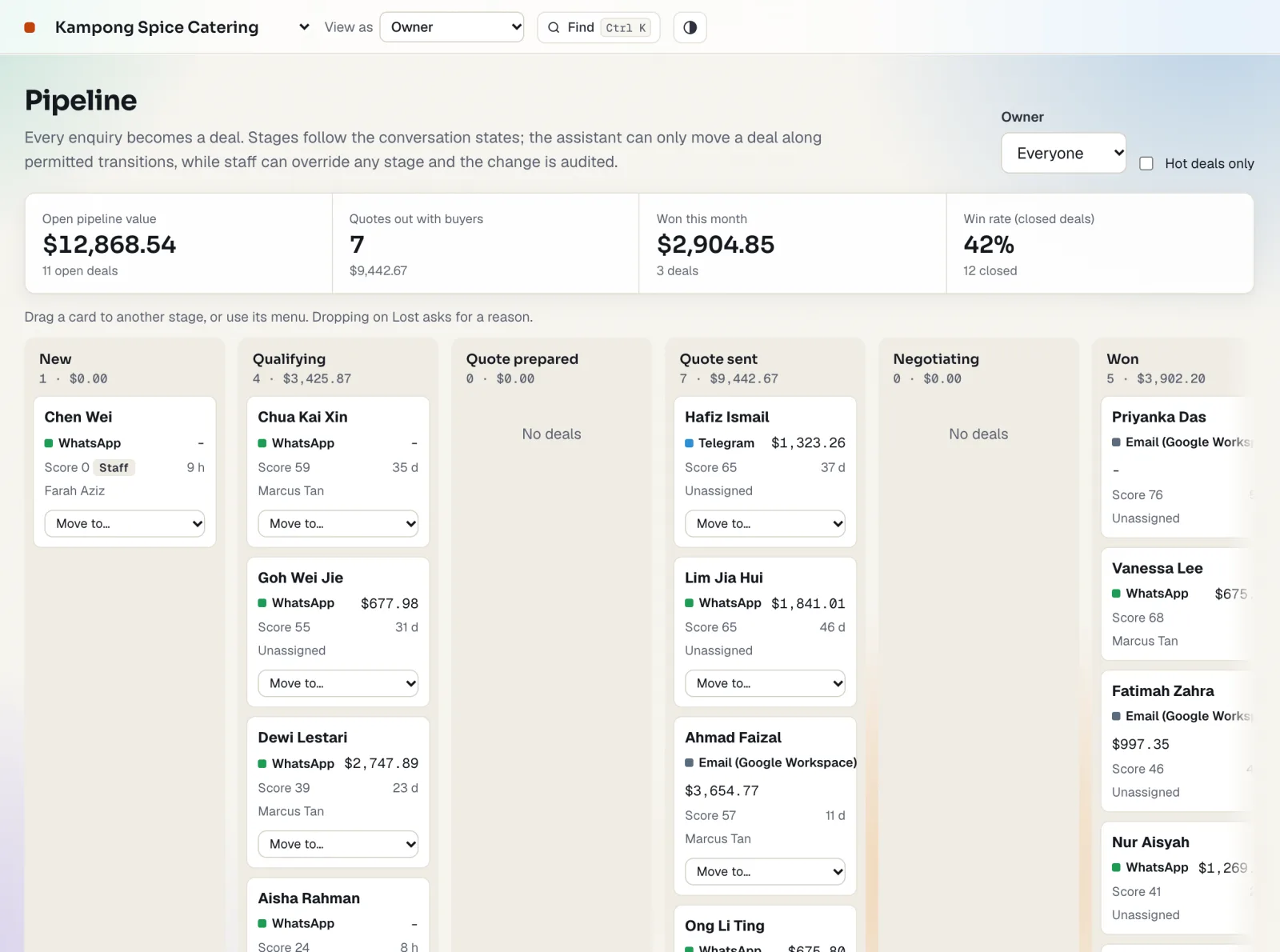
Every enquiry becomes a deal on its own, with a score, a value and a next step. You see what is worth chasing without typing a thing.
- Deals move through the stages as the conversation does.
- Follow-ups are timed to WhatsApp's 24-hour window and your quiet hours.
- Drag a deal to Won or Lost and give the reason, so you learn what loses work.

Take only the orders your team can deliver.
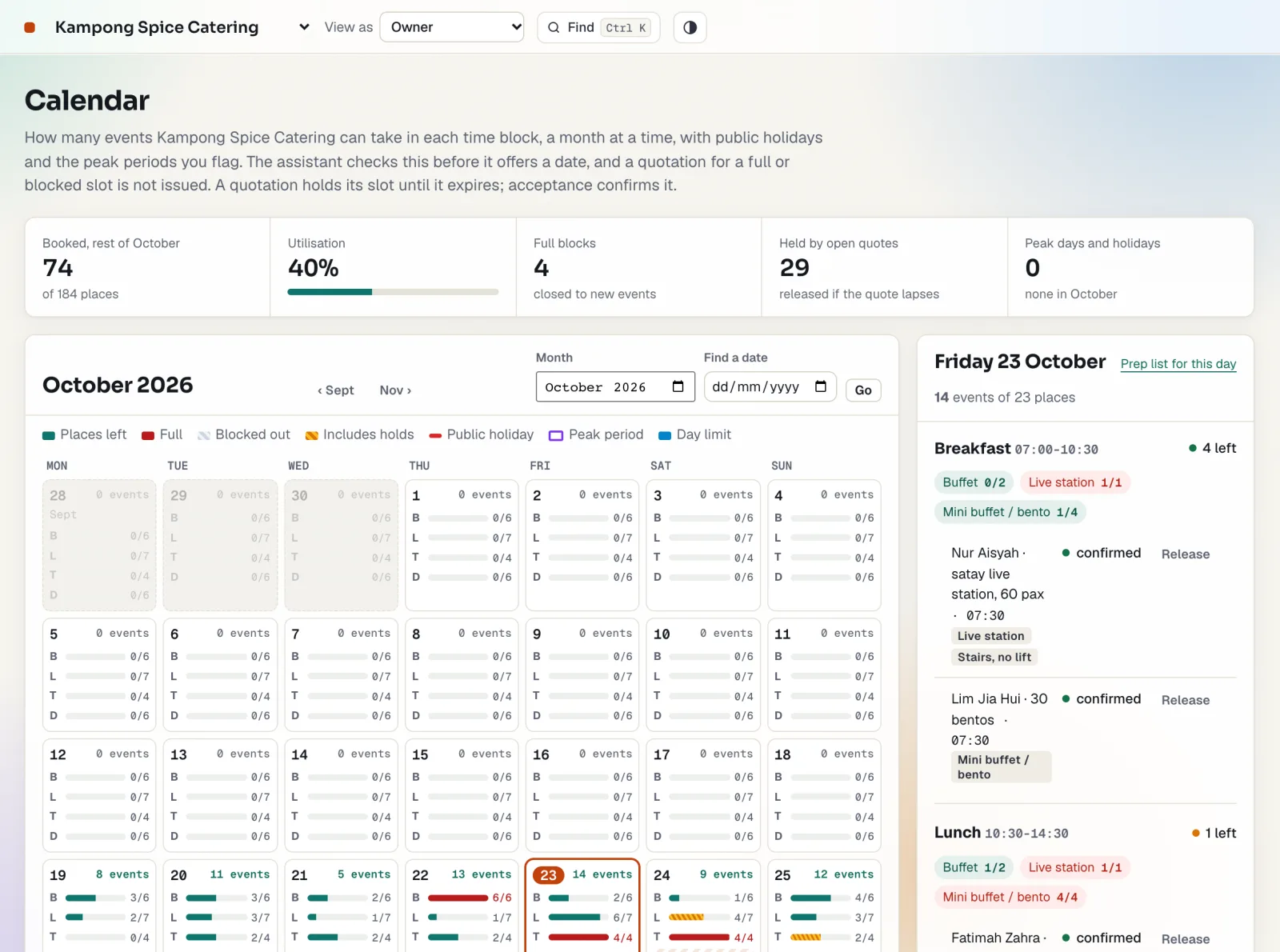
Set what your kitchen and drivers can handle: per day, per time block and per type of order. The assistant checks before it offers a date, and each quote holds its slot until it is accepted or lapses, so no two buyers are promised the last place.
- Limits for the day, each time block and each order type, with notice needed, crews and travel time.
- Block out whole days or a few hours, or pause one type of order while the rest carry on.
- Peak periods and key dates are marked on the calendar, so sales, admin and the kitchen plan for the same busy weeks.

Deposits in. Dates locked.
The moment a buyer accepts, they get a PayNow QR code with the exact amount and reference. The deposit secures the date and the balance follows on schedule.
- Deposit and balance worked out from your terms, with deadlines the buyer can see.
- The buyer presses "I have paid"; you check the statement and mark it received.
- An unpaid deposit releases the slot after the grace period, so it is free to sell again.

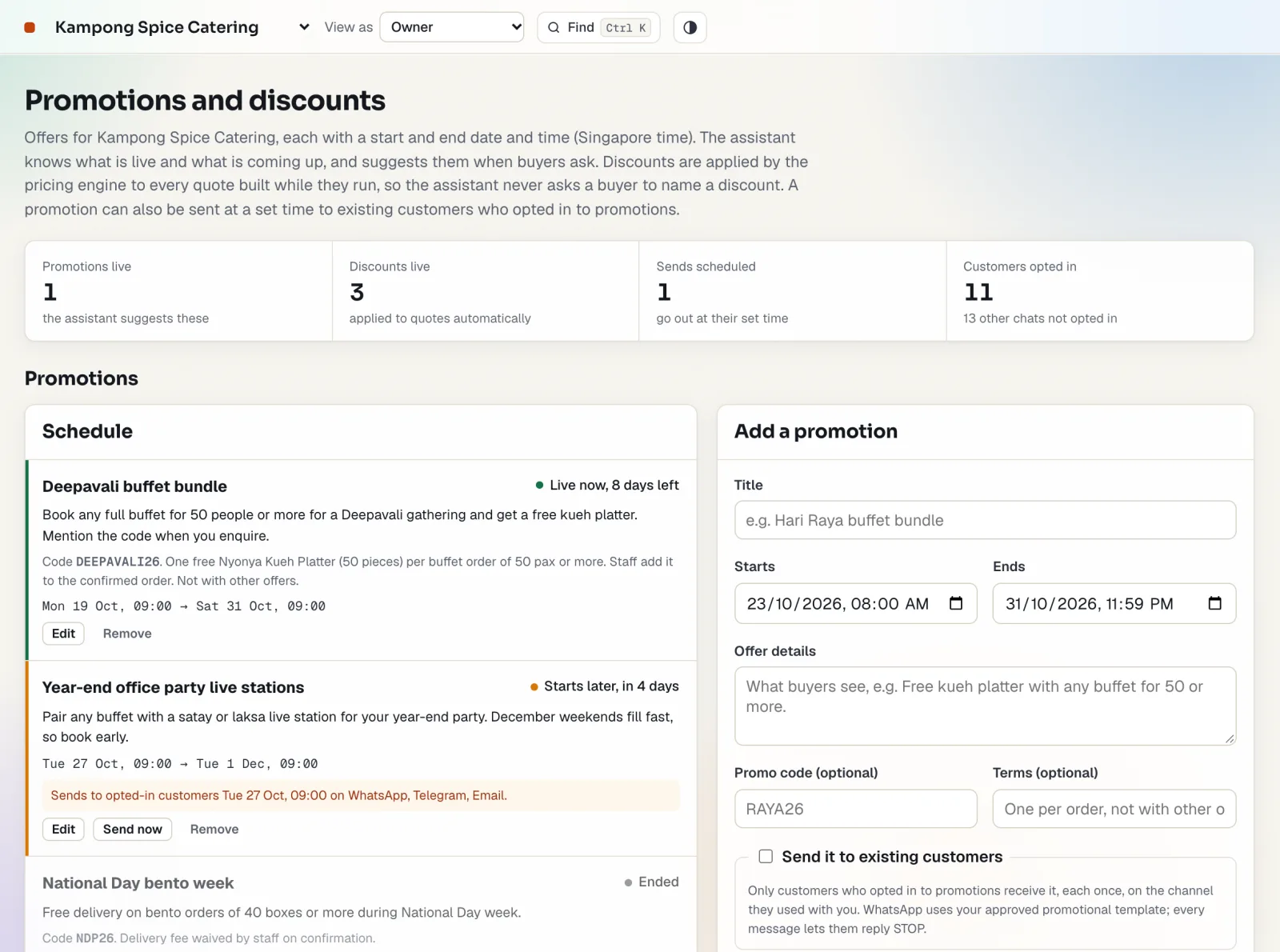
Several campaigns at once, and everyone knows what is on.
Set each offer once, with its dates and terms, and run as many side by side as you need. Your team and the assistant work from the same list of live and upcoming offers, and the engine applies the best one to every quote. The assistant never invents a discount.
- Every offer on one screen with its dates, items and terms, so overlapping campaigns stay clear.
- Reward buyers who follow you on Instagram, checked from their screenshot, to grow your following as you sell.
- Send an offer at a set time to customers who opted in, on the channel they use.

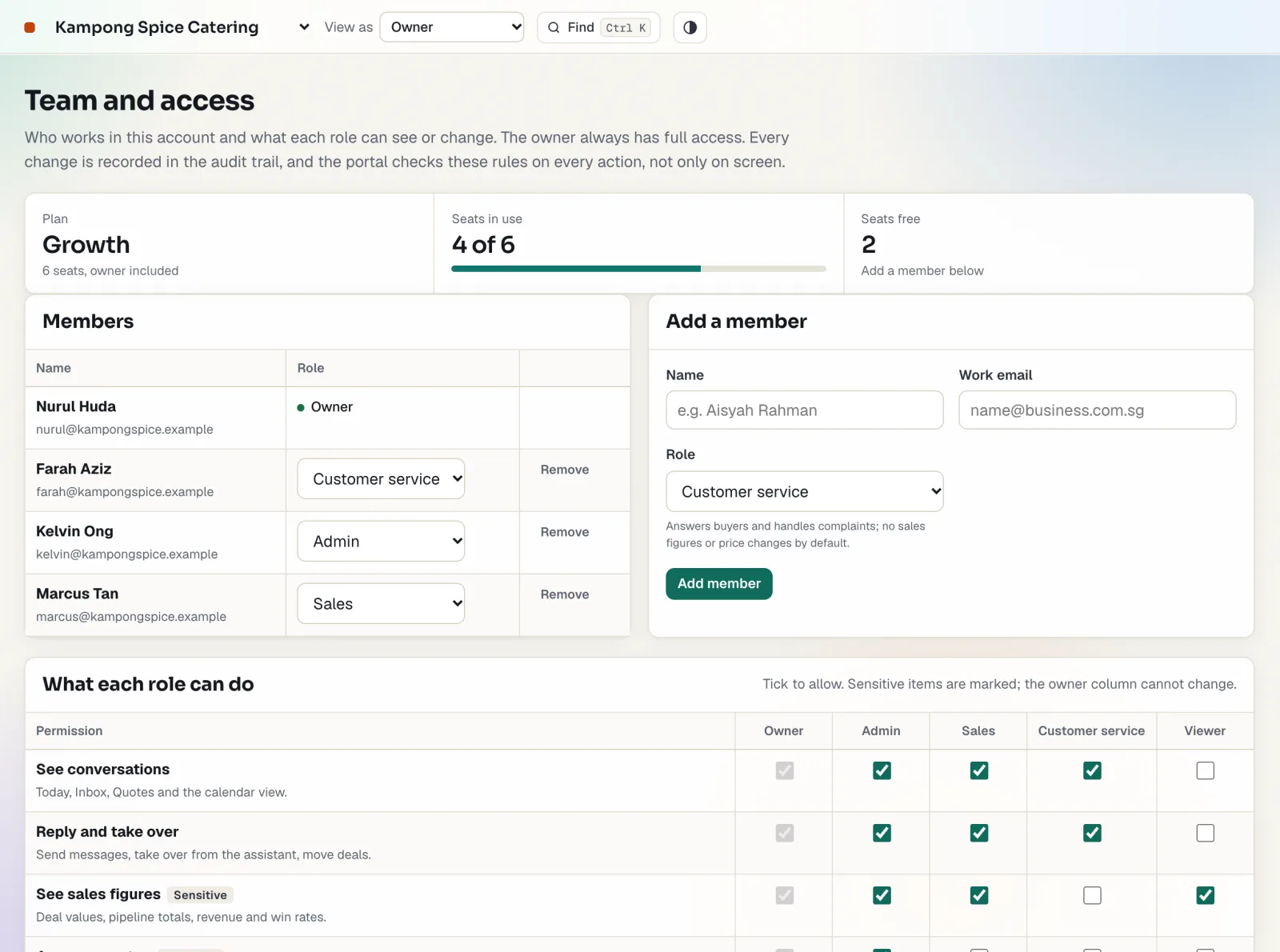
Let your staff answer buyers without seeing your numbers.
Give each person the role they need: owner, admin, sales, customer service or viewer. Every change is recorded, and the portal checks the rules on every action.
- Customer service handles buyers and complaints without seeing sales figures.
- Decide who can change prices, approve discounts or see revenue.
- Add or remove a member in seconds when people come and go.

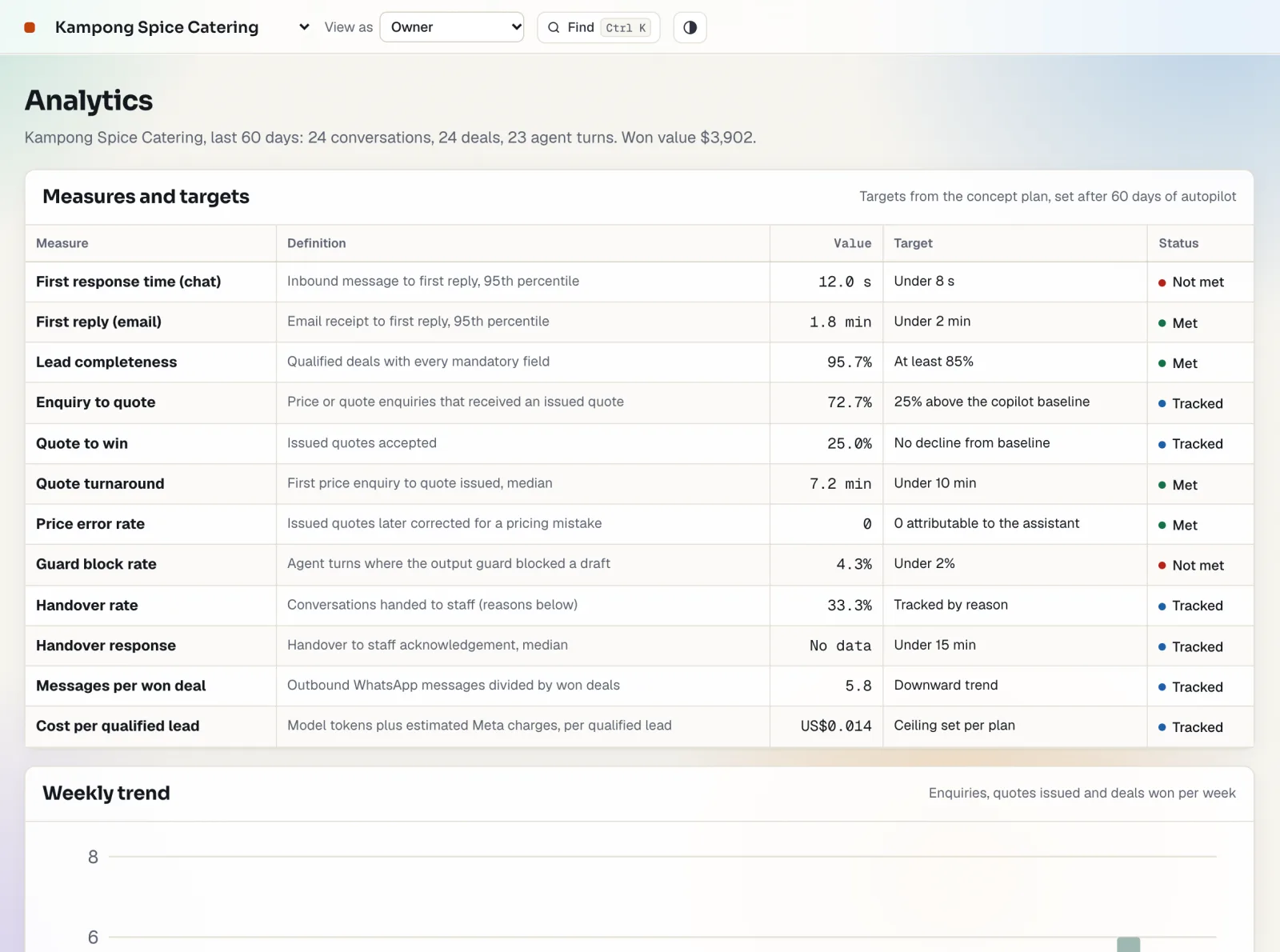
Know what actually wins you work.
The measures a small sales team should watch, on one screen, without building a spreadsheet: how fast you reply, how many quotes turn into orders and what they are worth.
- Time to first reply, quotes sent, quote-to-win and revenue by channel.
- How often the assistant needed a person, and why.
- Each measure set against a target, so you know what to fix first.

An AI that cannot make up a price.
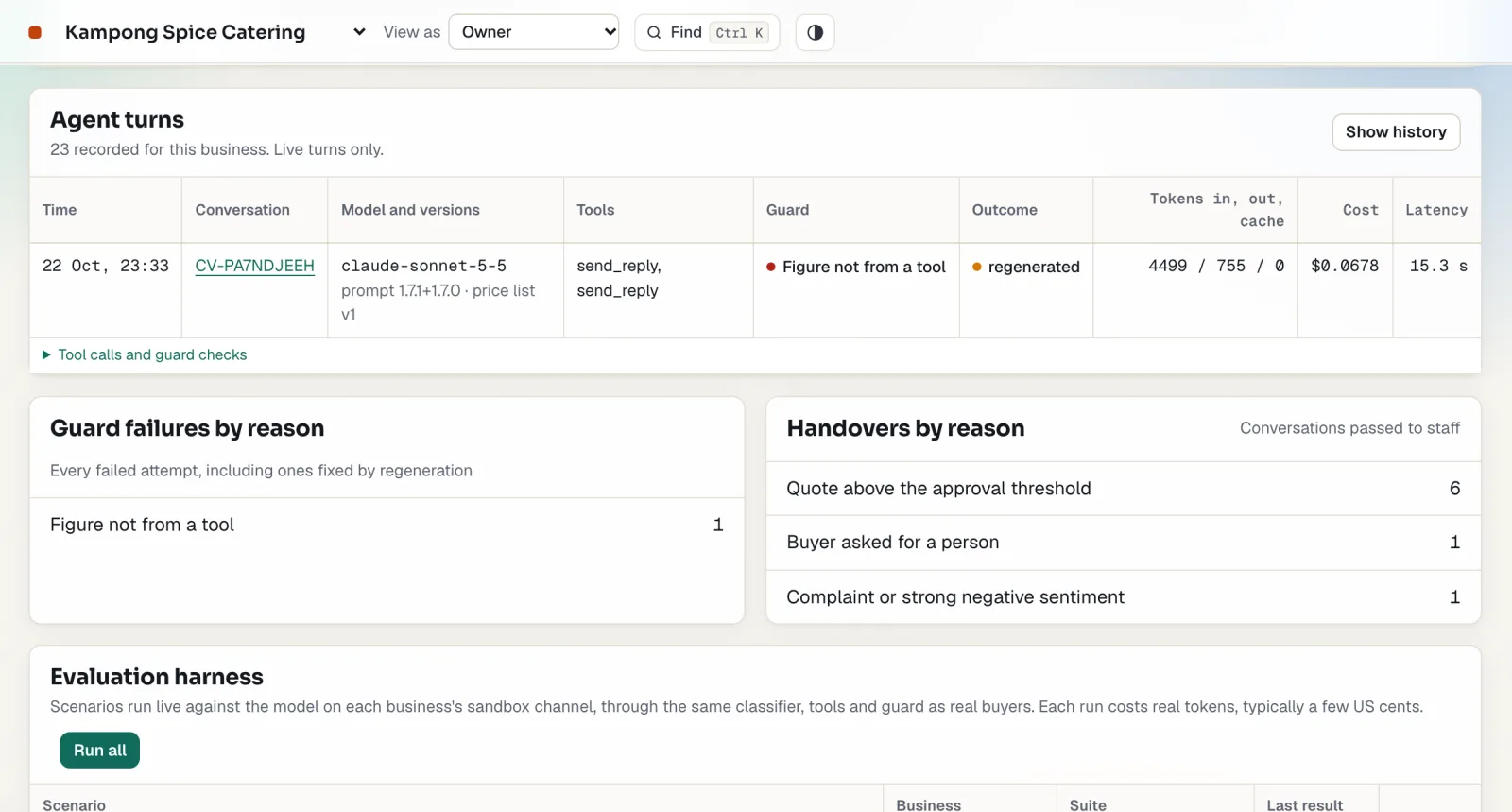
Every reply passes a 12-check guard before it reaches your buyer. If a figure did not come from the engine, the reply is stopped and written again, and you can see that it happened.
- Each assistant turn is recorded with the model, the prompt version and the result.
- An audit trail of every change, by whom and when.
- Isolation tests between businesses and evaluation runs, all on one screen.

Trust earned one kind of message at a time
A new business starts in copilot: the assistant drafts every reply and your team approves, edits or rejects it. After 14 days you have a record of what it gets right.
- The gate. A kind of message (price questions, quote requests, small talk) qualifies when at least 20 recent drafts went out and 90% were sent unchanged.
- Probation. Once switched on, one kind at a time runs for three days with one in five replies checked by a person.
- Automatic revert. Two bad replies in the last ten, or too many blocked by the guard, switch it back to copilot and create a task for the owner.
When a person takes over, and why
Each handover carries a reason, so your team knows what to do before opening the conversation.
| What happens | What the assistant does |
|---|---|
| The buyer asks for a person, or complains | Hands over at once and says a person will reply; complaints go to customer service first. |
| An allergen, halal or dietary question with no record | Keeps the conversation going and asks your team to answer that point. |
| A discount above your limit, or a quote above your approval threshold | Holds the quote for approval; the buyer is told it is being checked. |
| A change of payment details, or a sender that fails the email checks | Stops and hands over: these are signs of business email fraud. |
| A payment screenshot or a follow-for-a-discount screenshot | Reads it, matches it to the open payment or promotion, and asks staff to confirm. It never marks money received. |
Voice assistant and guided training
Two optional extras, priced per business per month.
Voice assistant
Staff talk to Quinn, a spoken assistant that reads the work queue, quotes, payments and the calendar and opens the right screen. It says it is an AI, and it never sends, approves or records anything. Typed chat is included.
Guided training
Short lessons that walk each role through the screens they use, with a spotlight on the real screen. With the voice assistant on, Quinn narrates each step and answers questions.
See it with your own price list
Start the 30-day trial with a sample catalogue for your trade, then replace it with yours.